

Running a Fanvue Without Showing Your Face
How to run a faceless Fanvue page: what Fanvue still needs for verification, content styles that work without your face and the details that give you away.
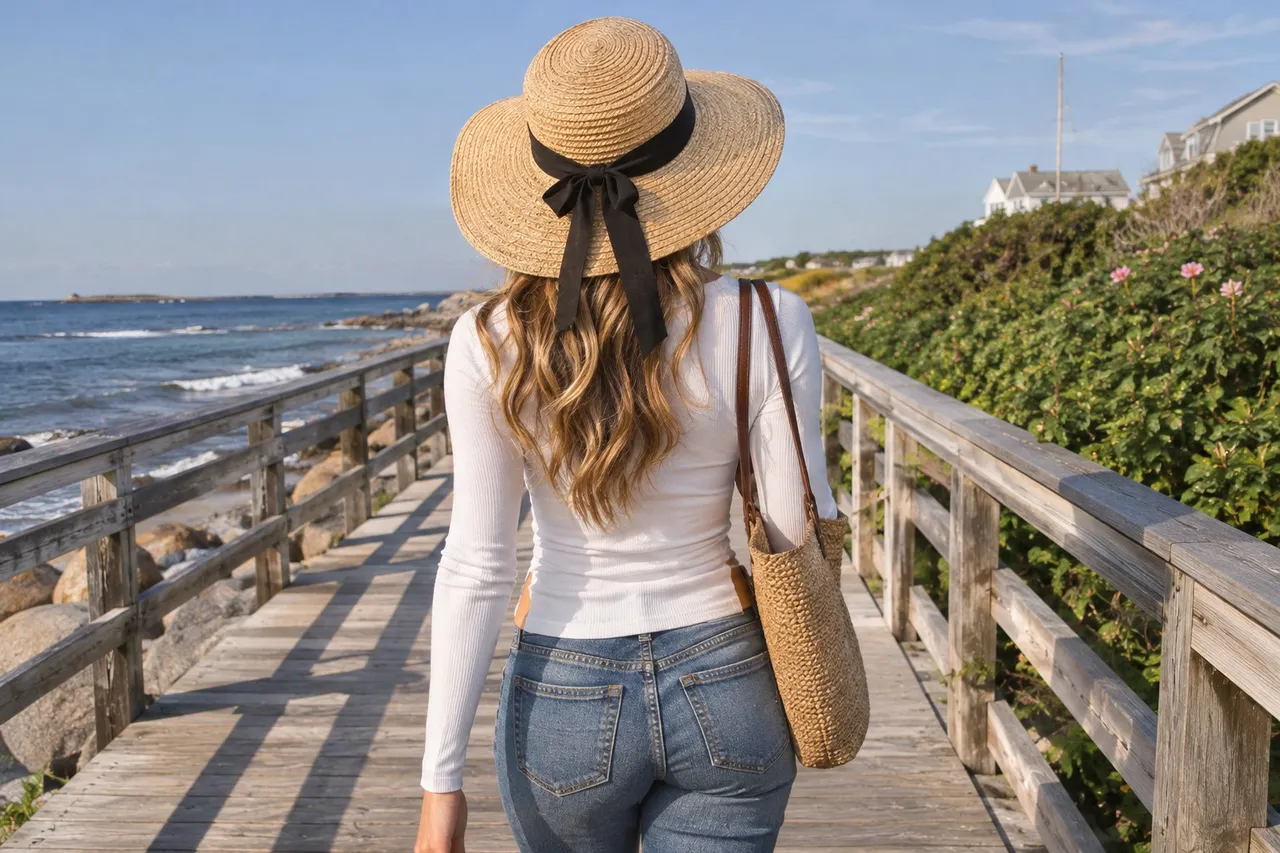
Yes, you can run a Fanvue without showing your face in your content. Fanvue's help center says you'll still verify with ID and a selfie, even if you won't show your face on your account, and that stays private. Then build a brand around angles, outfits, voice and personality, and hide identifying details like tattoos, jewelry and backgrounds.
Maybe you want to keep your page separate from your everyday life, or maybe you just prefer the mystery. Either way, a faceless Fanvue is a real option. It takes a bit more planning, so here's what to think about.
💜01. Can you be a faceless creator on Fanvue?
Yes, with one condition behind the scenes. Fanvue's guide to creating a creator account says you'll need a form of ID and a high-quality selfie to verify, even if you won't be showing your face on your Fanvue account. Fanvue's Acceptable Use Policy adds that creators must have their face visible for verification to be featured on the platform.
That check is private. Fanvue's help center says your ID and selfie stay confidential and aren't shown on your profile. It also says you can use a stage name and an email that isn't linked to your real identity.
One more rule to know: if anyone else appears in your content, Fanvue's co-creator article says they must be a verified adult who agreed to be filmed and shared, even if their face isn't shown.
💜02. What content works without your face?
Plenty. Fans connect with a vibe, a body of work and a personality, not only a face. Faceless pages tend to lean on:
- Angles: over-the-shoulder, mirror shots with the phone covering your face, shots cropped at the lips or neck.
- Outfits and styling: a signature color, lingerie sets, heels, gloves, cosplay pieces.
- Hands, legs and feet, if that suits your niche.
- Masks and props: a lace mask, sunglasses, a hat brim, a fan, your hair.
- Voice and words: captions, chat and voice notes carry a lot of personality.
Pick one or two signatures and repeat them, so fans recognize your content instantly. A consistent look stands in for a face surprisingly well.
Your personality has to work a little harder when fans can't see your expressions, so let it shine in words. Write captions that sound like you talking, give your page a playful persona, and be warm and quick in chat. Many fans subscribe as much for the connection as for the content, and that part never needed a face.
💜03. What details can identify me without my face?
More than you'd think. Before you post, check every frame for:
- Tattoos, birthmarks, scars and distinctive piercings.
- Jewelry you wear every day, a watch or a recognizable manicure.
- Backgrounds: furniture, artwork, the view, mail or packages.
- Reflections in mirrors, windows, glasses and dark screens.
- Your voice, if people in your life would know it.
Cover or edit out what you can, and keep a dedicated corner of your home just for shooting. Use different photos and usernames from your personal social accounts, too. And remember that faceless content can still be saved and shared, so watermarking and the other habits in our leaks guide matter just as much for you.
💜04. How do I keep a faceless page private?
Fanvue's settings add a second layer, like blocking whole countries and turning off discoverability in Fanvue's own search. Our privacy settings guide walks through each one.
Read our Fanvue privacy settings guide →
💜05. Can a faceless creator still get found?
Yes. Your public profile photo, banner and intro video still need to follow Fanvue's safe-for-work public media guidelines, and a faceless image can be striking: a silhouette, a mirror shot, a signature outfit. Fans browsing by type care about your vibe.
FreeVues, our free directory of Fanvue creators, is a good fit for a faceless page, because fans there browse by niche and tags and take our match quiz rather than scrolling faces. A well-chosen niche and an honest bio carry most of the weight. Your card shows the same public photo you pick on Fanvue, so a striking faceless image works with us too.
List yourself free on FreeVues →
💜06. Mystery is a brand
Verify privately, pick your signatures, scrub identifying details and layer Fanvue's privacy settings. A faceless page can feel intriguing rather than hidden, and fans love a little mystery.
Quick answers
💬Can you do Fanvue without showing your face?
Yes. Fanvue's help center says you'll verify with ID and a selfie even if you won't show your face on your account, and those stay private. Your content itself can be faceless.
💬Does Fanvue need to see my face?
For verification, yes. Fanvue's Acceptable Use Policy says creators must have their face visible for verification to be featured on the platform, and its help center says your ID and selfie aren't shown on your profile.
💬What can I post on a faceless Fanvue?
Creative angles, outfits, props, masks, hands, legs or feet, plus captions, chat and voice notes. A consistent signature look helps fans recognize your content.
💬How do I stay anonymous on Fanvue as a creator?
Use a stage name and a separate email, hide tattoos and other identifying details, keep backgrounds neutral, and consider Fanvue's country blocking and discoverability settings.
💬Do people in my faceless content need to be verified?
Yes. Fanvue's co-creator article says everyone who appears must be a verified adult who agreed to be filmed and shared, even if their face isn't shown.